If your electric gate isn’t working:
These quick checks cover the most common reasons an electric gate stops moving.
When an electric gate system stops responding, the issue often lies in one of three paths: power, signal, or movement. Power feeds the motor that drives the gate. The signal from your remote or keypad tells the system when to open or close. The movement path includes hinges, rollers, and sensors that guide the motion safely.
A problem in any of these parts can stop the system from moving. Understanding how each part works together helps you find the source of the problem faster and avoid unnecessary damage.
This guide explains what to do when your electric gate is not working. If you have more questions or need professional help, call (747) 777-4667 for same-day gate repair in Los Angeles.

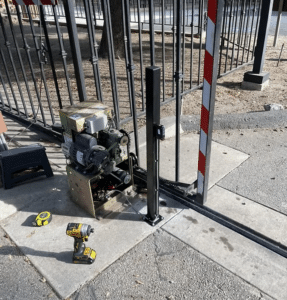
When your electric gate is not working, check the power and breakers first. Replace remote batteries and re-sync the control. Clean photo-eye sensors and inspect the antenna. Lock the manual release arm and clear debris from tracks.
Check chain tension and watch for motor overheating. Inspect the capacitor and board for surge or heat damage.
Here are the 10 electric gate troubleshooting tips you can check safely at home.
To test battery power, install fresh cells of the same type and retry the remote. Weak cells reduce signal range and lead to random failures. Clean the contacts with a dry cloth so the signal leaves the remote cleanly.
If your gate remote is not working, check the battery terminals for corrosion and make sure the receiver antenna is upright. A brief light or click shows a stored code. The remote often loses its connection after a power outage or reset.
Clean the sensors with a dry cloth and align them so their lights stay on. If your electric gate is not closing, check that both sensors face each other and glow steadily. Never cover or disconnect them, as UL 325 safety rules require active sensors.
Check that the antenna is standing upright and that the cable is firmly connected. A bent or rusty connector can weaken the signal. Tightening the wire usually restores the normal range.
To restore power, open the panel and look for a tripped breaker or blown fuse. Reset once and watch the gate. A second trip points to a short that needs a technician.
To return to automatic mode, lock the release arm back into the drive. After a power outage, many gates stay in manual mode and ignore the remote. Re-engaging the arm lets the motor control movement again.
To stop the chain or belt from slipping, check for slack and uneven motion during travel. A loose drive line jerks the panel and strains the motor. Leave tension adjustments to a professional if you see wear or fraying.
If your sliding gate is not working smoothly, inspect the rollers for flat spots or rust buildup that may be adding resistance. Santa Ana winds blow grit into the tracks, blocking sliding gates. Light lubrication on clean parts reduces drag.
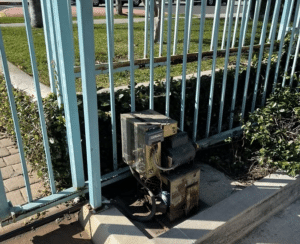
To spot a weak capacitor, listen for a steady hum with no movement. A swollen case or oily leak means it has failed. Cut the power and call a technician because capacitors can hold a charge.
To find surge damage, look for scorch marks, burnt smell, or melted plastic on the board. Summer heat and wind-driven dust raise failure rates in Los Angeles. If you see damage, disconnect power and schedule service.
Safety reminder: Cut power before opening panels. Do not bypass sensors or hold a gate while it tries to move.
Common causes of an electric gate not working include power faults, weak signals, blocked sensors, and worn parts. If your electric driveway gate is not working, check for tripped breakers, blocked sensors, or loose wiring that may interrupt the signal.
Main reasons an electric gate stops working include:
Los Angeles’ weather affects gates through heat, dust, and dry winds. Heat dries the grease and makes the motor work harder. Santa Ana winds blow dust into sensors and tracks. Moist air near the coast rusts wires and boards. Keeping the gate clean, shaded, and dry helps prevent these problems.
Common signs your electric gate needs professional repair include strange noises, uneven movement, or power trips. A humming motor that will not move and flickering sensor lights often point to electrical faults. Burnt smells or slow response mean it’s time for a licensed technician to inspect the system.
Below are the most common issues that show your system needs professional attention:
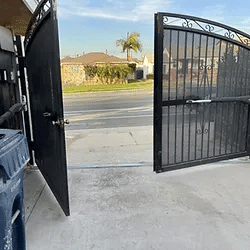
If your electric gate is stuck open or closed, turn off the power and clear any debris from the track or hinges. Re-lock the manual release arm and test again.
To reset your electric gate after a power surge, switch off the power for thirty seconds, turn it back on, and re-sync the remote.
If your automatic gate is not working after heavy rain, dry the sensors and control box, then test the breaker for power.
You can fix a gate opener that lost signal range by replacing the batteries and cleaning the antenna connection. If the range remains short and the gate opener isn’t working after re-syncing, the receiver board may need a technician to inspect the wiring.
If your electric gate won’t move, the fault may be in the wiring, the motor, or the main board. These parts carry live power and require proper testing tools. Schedule a licensed inspection with us today. A certified technician can test voltage, limits, motor draw, and sensor function during a single visit.
Call (747) 777 -4667 for same-day electric gate repair across Los Angeles.